Errors: When Things Go Wrong
Every programmer, no matter how experienced, writes code that breaks. That's completely normal! The skill isn't in writing perfect code — it's in knowing how to handle when things go wrong, so your program doesn't just crash and die dramatically.

Not all errors are the same
Python has three main categories of errors. Each is a sign of something different going wrong.
You typed Python code incorrectly — like a grammatical mistake. Python can't even read it. It will refuse to run the program at all.
# Missing the colon!
if x > 5
    print("Big")   # SyntaxError!
The code looks fine, but something goes wrong while it's running. For example, trying to divide by zero or accessing a list index that doesn't exist.
result = 10 / 0 # ZeroDivisionError!
The hardest to find! Python runs the code perfectly without any complaint, but the result is wrong because your logic was off.
# Trying to get the average, but logic is wrong!
total = 90 + 80 + 70
average = total / 2   # Should be / 3!
print(average)        # Runs fine, but prints 120 not 80!
Catching errors before they crash everything
For runtime errors, Python gives you the try / except blocks.
You put the "risky" code inside try. If an error occurs, instead of crashing,
Python jumps straight into the except block where you can handle it gracefully.
try:
    number = int(input("Enter a number: "))
    result = 100 / number
    print("Result is:", result)

except ZeroDivisionError:
    print("Oops! You can't divide by zero.")

except ValueError:
    print("That's not a valid number!")
The full error-handling toolkit
- else: Runs if the
tryblock succeeded with no errors. - finally: Always runs, no matter what — whether an error happened or not. Great for cleanup actions like closing a file.
try:
    result = 100 / 5
except ZeroDivisionError:
    print("Error!")
else:
    print("Success! Result is:", result)  # Runs if no error
finally:
    print("Attempted division.")  # Always runs!
Think about a tightrope walker performing above a circus tent.
try: The walker steps onto the rope and attempts to cross.
except: There's a safety net underneath. If they fall (an error), they land in the net instead of hitting the ground.
finally: After crossing OR falling, the crowd always applauds. That applause always happens no matter what.
The try/except Flow
except. Either way, finally always runs last.The Spellcheck

pritn("Hello!")
He spelled
print as pritn 😬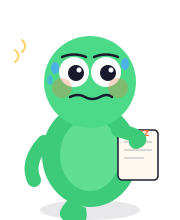
Catching Errors Safely
Run this code, then try causing different errors to see how the except blocks catch them.
- Change
number = 5tonumber = 0and run again. See the error message? - Change
number = 5tonumber = "hello"and run again. A different error is caught! - Add a
finally:block at the end that always prints"Division attempt complete."
Handling Trouble — Done! 🛡️
- Syntax Errors: You typed code wrong. Python refuses to run at all.
- Runtime Errors: Code looks fine but crashes during execution (e.g., dividing by zero).
- Logic Errors: Code runs fine, but produces the wrong result. Hardest to find!
- Use try / except to catch runtime errors gracefully instead of crashing.
- else: runs only if no error occurred in the
tryblock. - finally: always runs, with or without an error. Perfect for cleanup.