Functions: Define it once, use it forever
Writing the same code multiple times is bad practice. In Python, you can package a block of code, give it a name, and then run it whenever you want just by calling that name. This magical package is called a Function.

The "def" Keyword
To create a FunctionA reusable block of code that only runs when it is called.,
you start with the keyword def (short for define). You give the function a name, followed by parentheses (), and a colon :.
Warning: Defining a function doesn't run it! It just creates it. You have to "call" the function later to actually make it do something.
# 1. Define the function
def say_hello():
    print("Hello!")
    print("How are you?")

# 2. Call the function
say_hello()
say_hello()
say_hello. Everything indented below it belongs to the function.say_hello, and then comes back here. We call it twice!Giving data to a function
Functions become really powerful when you give them information to work with. These pieces of information are called Arguments or Parameters. You put them inside the parentheses.
def greet(name):
    print("Hello, " + name + "!")

greet("Sarpanch")
greet("Priya")
name is a variable that will catch whatever value we pass into the function.name becomes "Sarpanch".Getting data back from a function
Often, you don't just want a function to print something. You want it to calculate a result and give that result back to you so you can use it in a variable. You do this using the return keyword.
print() just shows text on the screen for the human. return actually hands data back to the Python program. As soon as a function hits return, the function stops immediately.
def add_numbers(x, y):
    result = x + y
    return result  # Give the answer back!

# Save the returned value into a variable
my_total = add_numbers(5, 10)
print(my_total)  # Prints 15
A function is exactly like a Blender in your kitchen.
Defining the function: Buying the blender and plugging it in. It doesn't do anything yet.
Arguments (Input): Putting strawberries and milk into the top of the blender.
Calling the function: Pressing the "Blend" button.
Return value (Output): Pouring the finished strawberry smoothie out of the blender to drink.
The Function Machine
The Chai Function


def make_chai(sugar_spoons):
  return "Hot Chai ☕"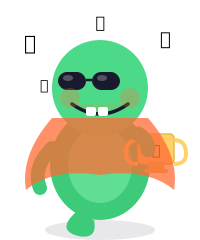
make_chai(2) and go back to sleep. 😎"Writing Functions
Try calling the pre-written functions, and then create your own!
- Call
calculate_dog_years()passing in your own age, and print the result. - Write a function called
multiply(a, b)that returnsa * b. Call it and print the result!
Functions — Done! 🎩
- Use def to create a function. E.g.,
def my_func(): - Defining a function doesn't run it! You have to call it by writing its name followed by parentheses:
my_func(). - Arguments (or parameters) are variables you pass into the function inside the parentheses.
- return is used to pass a value back out of the function to whoever called it.
print()displays text for humans.returngives data to Python. They are different!