Loops: Stop Repeating Yourself
Programmers are notoriously lazy. We hate writing the same code twice.
If you need to print "Hello" 100 times, you don't write print("Hello") 100 times.
You write it once, and tell Python to repeat it 100 times using a Loop.

When you know exactly how many times to repeat
A for loopA loop that repeats a specific block of code a set number of times.
is perfect for when you know exactly how many times you want an action to happen. We often use it with a handy built-in function called range().
for i in range(5):
    print("Push-up number:", i)
Repeat until a condition changes
A while loopA loop that keeps running over and over as long as its condition remains True.
doesn't care about numbers. It cares about conditions (just like the if statements we just learned!).
It says: "Keep doing this while the condition is True."
energy = 3

while energy > 0:
    print("Coding...")
    energy = energy - 1

print("Time for a nap.")
If a while loop's condition never becomes False, it runs forever. It will freeze your program and heat up your computer. Always make sure something inside the loop changes the condition!
Taking control of your loops
Sometimes you need to escape a loop early, or skip a step.
- break: Immediately destroys the loop and escapes it entirely.
- continue: Skips the rest of the current loop iteration, and jumps straight back to the top for the next round.
for i in range(10):
    if i == 3:
        continue  # skips 3
    if i == 7:
        break     # completely stops the loop at 7
    print(i)

# Output will be: 0 1 2 4 5 6
For Loop: Doing 10 pushups. You know exactly how many you are going to do before you start. "For every number from 1 to 10, do a pushup."
While Loop: Eating pizza slices until you are full. You don't know how many slices it will take. You just keep taking a slice "while" you are still hungry.
The Loop Cycle
The Infinite Mistake

sheep = 1
while sheep > 0:
  print(sheep)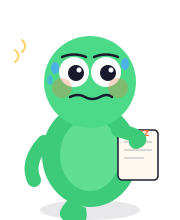
Hours pass. The computer fans are screaming.

He forgot to change the condition. Infinite loop.
Looping in Action
Experiment with loops. Try changing the range or the while condition.
- Change the
forloop to repeat 10 times instead of 5. - In the
whileloop, change it to count down from 5 to 0. (Set countdown to 5). - Advanced: Try adding an
ifstatement inside the for loop tobreakifi == 3.
Doing Things Again — Done! 🔁
- Loops let you run the same block of code multiple times.
- A for loop is used when you know exactly how many times you want to loop. (e.g.,
for i in range(5):) - A while loop is used when you want to loop until a certain condition becomes False.
- Infinite loops happen when your while condition never becomes False. Always update your variables!
- break destroys the loop and escapes.
- continue skips the rest of the current round and goes to the next round.