First Steps: What Even Is Python?
You're here. That already makes you better than 99% of people who said "I'll learn Python someday." Let's not overthink this. Python is just a way to talk to your computer. Your computer is a very powerful machine that understands instructions — but only if you give them in a language it knows. Python is one of those languages. And it's one of the easiest ones to learn.
What Is Python?
Python is a programming languageA programming language is a set of rules for writing instructions that a computer can understand and execute. Like grammar, but for computers. that lets you tell a computer what to do — step by step.
Unlike human languages (which are fuzzy and context-dependent), Python is precise. If you write
print("Hello"), the computer does exactly that. No ambiguity. No interpretation.
Just: "Print the word Hello. Got it. Done."
Python was created in 1991 by a Dutch programmer named Guido van RossumGuido van Rossum created Python and was known as its "Benevolent Dictator For Life" (BDFL). He stepped down in 2018 but Python lives on.. He wanted a language that was clean, readable, and easy to learn. He succeeded. Also he named it after Monty Python's Flying Circus, not the snake. But Sarpanch the snake is here now. And he's staying.
Python is used by NASA, Netflix, Instagram, Spotify, Google, Dropbox — basically every company that does anything cool with data, automation, AI, or web development. Your future employer probably uses it. So let's learn it.
Imagine your computer is an incredibly fast but incredibly literal robot chef.
You can ask it to cook anything — but you need to give it the exact recipe, step by step.
"Put water in the pot" — okay. "Boil" — okay. "Add pasta" — okay.
If you just say "make pasta," it freezes. It needs instructions. That's what a Python program is —
a recipe. You write the steps, and the chef (your computer) executes them perfectly, every single time.
The Most Famous Line of Code in History
Every programmer, across every language, writes this as their very first line. It's tradition. It's a rite of passage. It's also extremely anticlimactic. Here it is:
print("Hello, World!")
When you run this, the computer will display: Hello, World!
That's it. That's the whole program. One line. Welcome to programming.
But we at PyLearn don't do boring examples. So here's the Sarpanch-approved version:
print("Hello! I am Sarpanch.")
print("I am not a robot. Probably.")
print("I am definitely a snake.")
print("Let's learn Python together! 🐍")
- • Function — A named action that does something. print() is a function.
- • String — Text in quotes. "Hello" is a string. Quotes tell Python it's text, not code.
- • Syntax — The grammar rules of Python. Break them → Python refuses to run.
- • Statement — One instruction for Python. Each line is usually one statement.
How Python Runs Your Code
The "Hello World" Experience
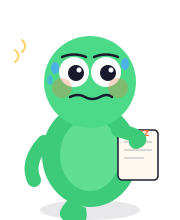
pritn("Hello World")(Typo. Classic.)
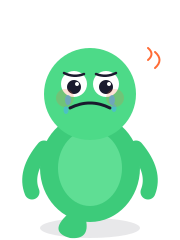
Lesson learned: Python does not autocorrect.
Live Python Playground
Edit the code below and click Run. Real Python. In your browser. No installation needed. Sarpanch will react to your results.
- Change the message to print your own name.
- Add a second print() on the next line.
- Try printing an emoji. (Yes, Python handles emojis! 🎉)
What Did We Just Learn? 🐍
- Python is a programming language — a way to give your computer step-by-step instructions.
- Python reads like English, which makes it the easiest first language to learn.
print()is your first Python function — it displays text on the screen.- Text in quotes (like "Hello") is called a string.
- Python runs code top-to-bottom, one line at a time.
- Typos matter — Python doesn't autocorrect. Spell everything right.